Introduction
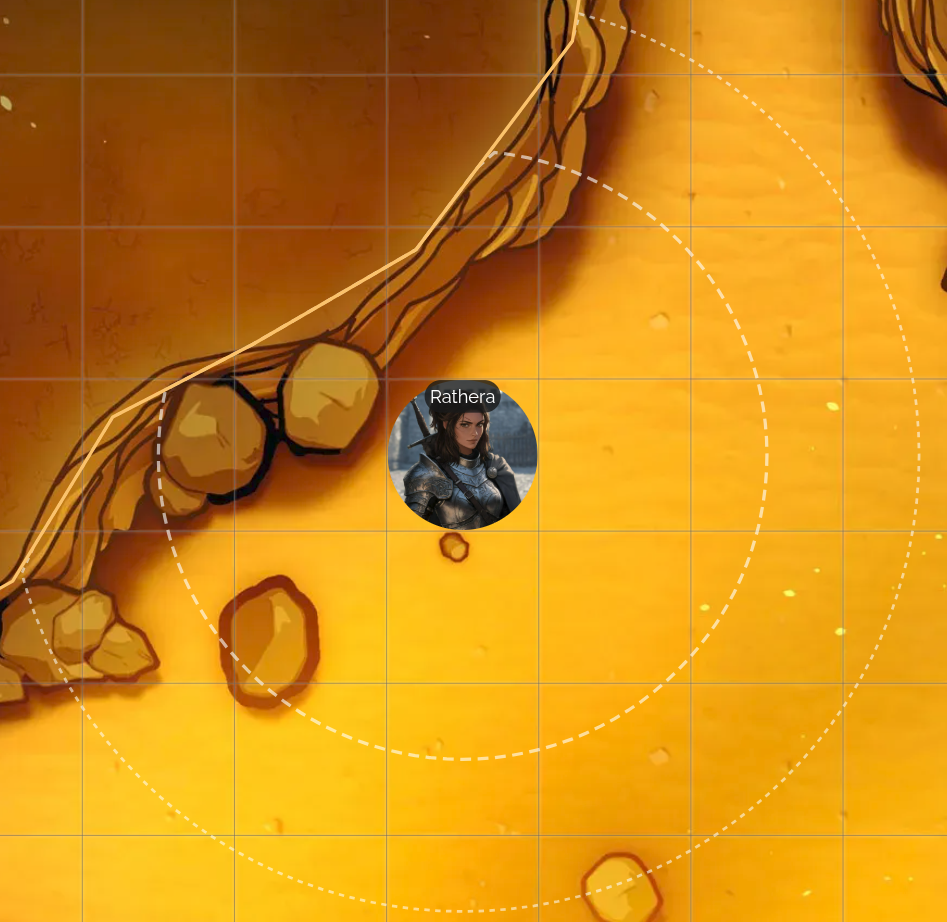
Dynamic Vision is an automatic, per-token alternative to the manual Fog of War tool. Instead of you painting and revealing areas by hand, each token gets its own vision radius, and the map darkens or lights up on its own as that token moves around the battle map.
To turn it on, open Grid Settings (the Grid tool in the Map Tools toolbar), and check Enable Dynamic Token Vision under the Dynamic Vision section.
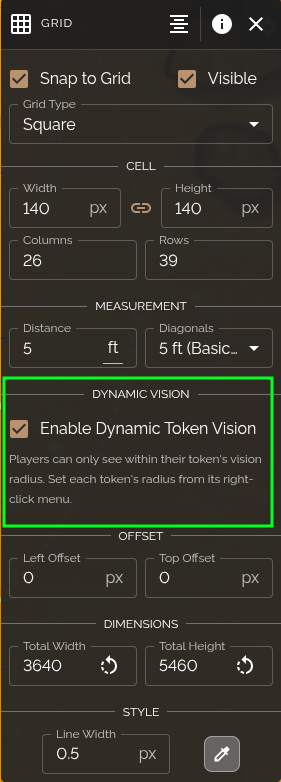
This is a per-battle-map setting, so turning it on for one map doesn't affect your other maps. Once enabled, each of your players will only be able to see within their own token's vision radius; everywhere else on the map goes dark for them. You still set each token's vision radius yourself. See Setting a Token's Vision Radius.
Dynamic Vision and the manual Fog of War tool can be used together, since they're independent layers. Painted fog hides areas from everyone regardless of vision radius, while Dynamic Vision additionally limits each player to their own token's radius. If you want walls and corners to physically block a token's vision (rather than just capping its range), see Walls & Line of Sight.
As the DM, Dynamic Vision never hides anything from you: you always see the whole map. Instead, you'll see faint dashed outlines around any token with a vision radius set, showing exactly what your players can and can't see without actually hiding anything on your own screen.