Setting a token's vision radius
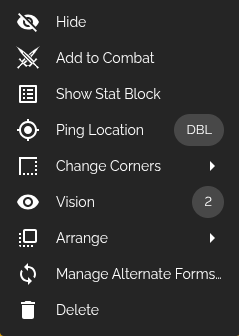
Once Dynamic Vision is enabled for your battle map, right-click (or click-and-hold) a token to open its actions menu, then click Vision.
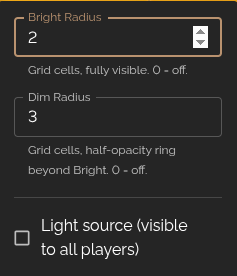
This opens a small popover with two radius fields, measured in grid cells:
- Bright Radius: how far the token can see clearly. Set to
0to turn vision off for that token. - Dim Radius: a ring beyond the Bright Radius that's visible at half-opacity, like dim light or darkvision. Also measured in grid cells, and set to
0to turn it off.
A player only sees through the combined vision of their own tokens. If they control more than one token, their view is the union of all of their tokens' circles.
You can select multiple tokens at once and set their vision radii together. If the selection has mixed values, the fields will show a blank chip instead of a number.
Light sources
Below the two radius fields is a checkbox labeled Light source (visible to all players). Turning this on makes the token's vision circle visible to every player in the session, not just whoever controls it. This is perfect for a torch, lantern, or campfire that should light up the area for the whole party regardless of who's carrying it.
A light-source token doesn't need to be controlled by a player at all; the DM can drop a plain torch or brazier object on the map, give it a radius, flag it as a light source, and it'll illuminate the area for everyone.